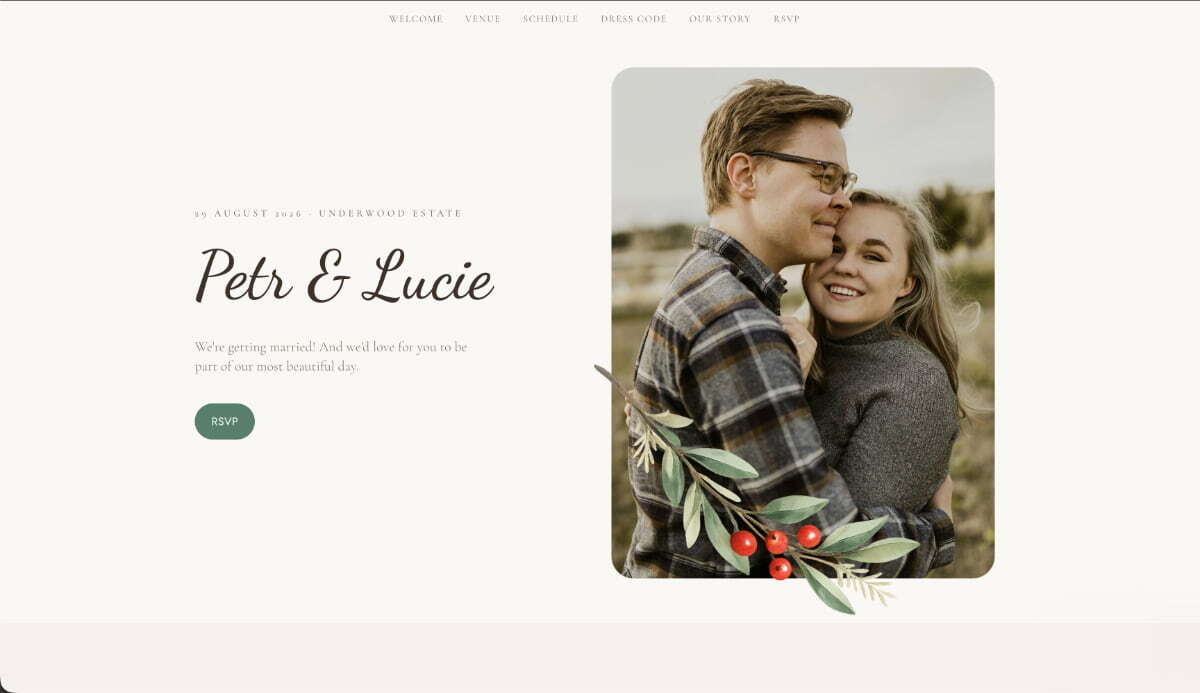
AI generation1. Describe the website and get a working product
One prompt. It created the entire website: a romantic hero section with the couple’s photo and names, plus sections for the schedule, venue, dress code, story, and RSVP. A soft cream palette and elegant calligraphic headings complete the look.
“Create a romantic wedding website for Petr and Lucie’s wedding on August 29, 2026, at Underwood Estate. Include a hero section with our photo and names, plus the schedule, venue, dress code, our story, and an RSVP form. Use a soft cream palette and an elegant calligraphic font.”
2. Add the RSVP form
A friendly RSVP form with a name field, attendance choice, guest count, meal selection, and a note for the couple. Clear validation and a warm confirmation message make the experience feel effortless.
“Add an RSVP form with name, attendance choice, number of guests, meal selection, and a message. Show a warm thank-you message after submission.”
3. Save every response
RSVP responses are sent to a database with a simple guest-list view: an updated total, meal counts, and notes, all in one place.
“Save every RSVP response in a database, including the guest’s name, number of attendees, meal choice, and any messages for the couple.”
4. Send email confirmations
Each guest receives a confirmation email with the date and venue, while the couple is notified whenever a new response comes in.
“Send each guest a confirmation email with the date and venue, and notify us whenever someone submits an RSVP.”
5. Make it feel special
Botanical details, a delicate photo frame, subtle scroll animations, and a mobile layout that keeps the RSVP within easy reach.
“Add botanical details and delicate animations, and keep the RSVP button easy to reach on mobile devices.”