Keep your messages in accordance with the law
Very advanced and all-inclusive service
Sign in your webmail and, in a few simple clicks, the service will be active and without additional costs.

LEGALLY COMPLIANT
We assurethe compliant archiving of your PEC box, with time stamp and digital signature. Your documents will be retained as long as the PEC mailbox remains active, and you will be able to access them at any time.
ALL ON YOUR WEBMAIL
The functionality of compliant archiving is integrated into your PEC box. You just have to log into your certified mailbox and activate the service.

ADDITIONAL SPACE
Do you need more space on your digital archive? Ask us at any time to update to add GB to your archive.
Contact Us!
What is compliant archiving?
Our legal system identifies many circumstances in which there is an obligation to keep legally relevant documents: this conservation obligation must be fulfilled by the person who produced the document or by the person who, by law, must keep it.
It certifies the authenticity.
It certifies the authenticity.
It guarantees reliability and readability.
The user of the service can have confidence in the veracity of documents displayed and content usability.
Ensures availability.
As long as your certified email address is active, you can access and use the legally valid documents at any time.
Which are the benefits?
Legally compliant.
complies with the legislative provisions of the D.C.P.M. of 03/12/2013 and the technical standards required by law.
It's secure.
Monitored and controlled, it guarantees maximum security and authenticity of your documents.
It's smart.
It allows you to keep documents in digital format, without taking up physical space.
How to activate?
Activate archive on your PEC box.
Start keeping your documents legally.

LOGIN TO YOUR
PEC BOX
After logging in to your webmail, at the top you will find the "Compliant Archiving" item next to the other menu items in the box. The first step is to click on the item.
ACTIVATE THE SERVICE
To use your archive, you need to activate it. Click on the "ACTIVATE" button and follow the simple guided procedure.
ACCEPT THE ACT
In order to activate the compliant archiving it is necessary to read and accept the Custody deed for the conservation of PEC messages.
START ARCHIVING
Now you can start archiving your PECs in the comoliant archiving space on your mailbox. You can move your mail messages in one click and save them in your legally compliant archiving.
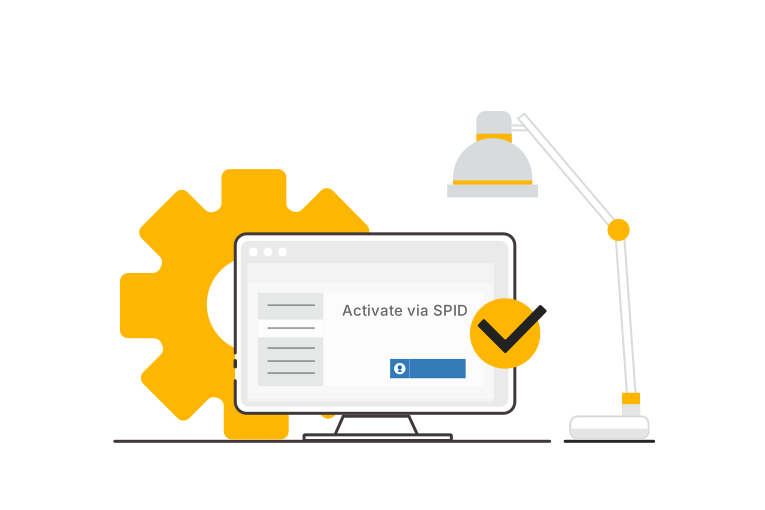
Activate PEC with your SPID
It's simple, fast, safe and convenient.
You don't have to go to a PEC provider in person: activation can be done online, from anywhere and at any time.
There is no need to provide paper documentation: user identification occurs via SPID, which is a strong authentication system that guarantees the security of the user's personal data.
No activation costs: this step is also free.
Your questions, our answers
-
What happens when the certified email service expires?
The archiving service is linked to your certified email address. If your certified email address is not renewed, the archiving service will also be deactivated and archived messages will be deleted.
From the certified email expiration date, you have 35 days to access the archiving service and download saved content. After this period, if you do not renew, all messages will be permanently deleted. -
How can I send messages to the archive?
You can move a message from your webmail by clicking on the "compliant archiving" tab. The message in question is a copy of the one available on the box which will be kept as required by law but can no longer be deleted from your storage space
-
How much storage space do I have?
The storage space included in your PEC box is 1GB.
You can at any time purchase additional conservation fees. -
How can I ask for more storage space?
You can ask for an additional fee by opening a ticket from your control panel, filling out the form on this page to be contacted, in chat from our site or by calling the number 035 57 87 979
-
Can I use my certified email archive to legally archive received documents?
Certified email messages are digital documents with legal validity, but to maintain their legal validity over time, they must be stored in accordance with regulations. Messages simply stored in the certified email inbox are not considered properly archived.
By activating the certified email archiving service, sent and received messages are archived in accordance with the law, making them usable in the event of inspections, disputes, or communications with legal relevance.
-
Can I use the Archive folder to store messages?
You can use the Archive folder to organize your certified email messages, but this is not equivalent to legal preservation. Only the Certified Email Preservation service guarantees and certifies the authenticity, integrity, and legal value of documents over time. The documents placed on file will remain available for the entire validity period of the certified email inbox, with guaranteed access at all times.
-
What happens if I deactivate my certified email (PEC)?
The legally compliant message retention service is directly associated with your certified email (PEC) inbox. If you deactivate your certified email (PEC), the retention service will no longer be active, and the communications stored therein will no longer be available. From the expiration date of your certified email (PEC), you have a 35-day period during which you can access the service to retrieve and download stored messages. After this period, if the service is not renewed, all data will be permanently deleted.
We are here every day from 9am to 6pm